Preview Without Changing: How to Use Virtual Try-On
2026-01-28
Solve the "Will This Look Good on Me?" Problem
Have you ever looked at your closet and wondered, "What would this outfit combination actually look like on me?"
Actually changing clothes and standing in front of a mirror takes effort, and trying multiple outfits during a busy morning is exhausting.
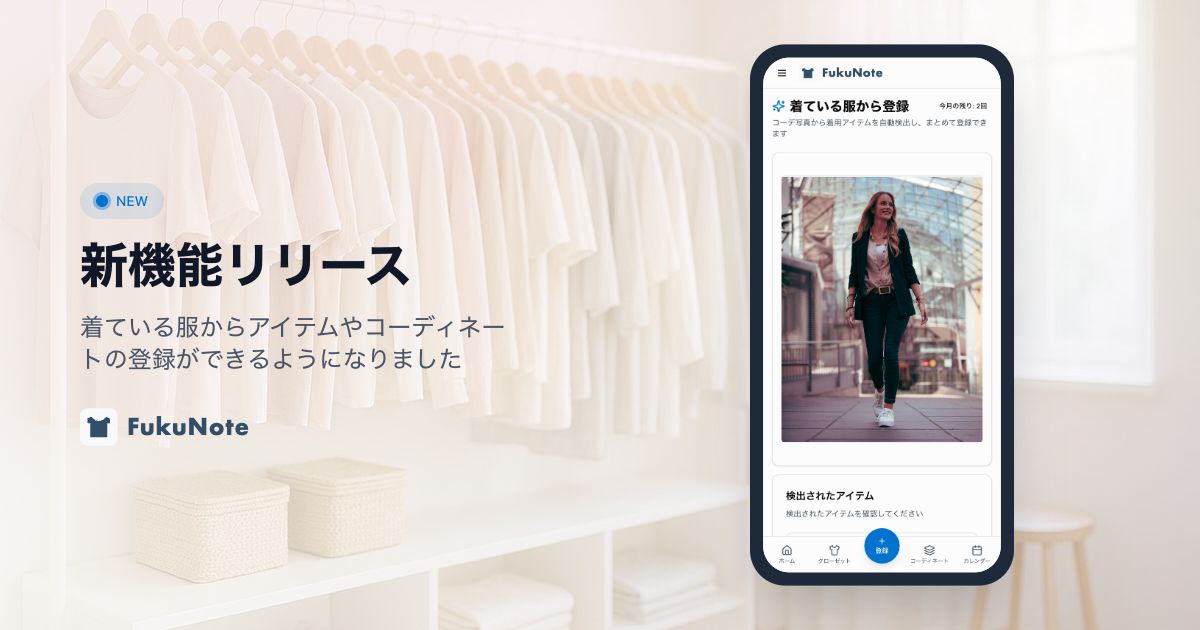
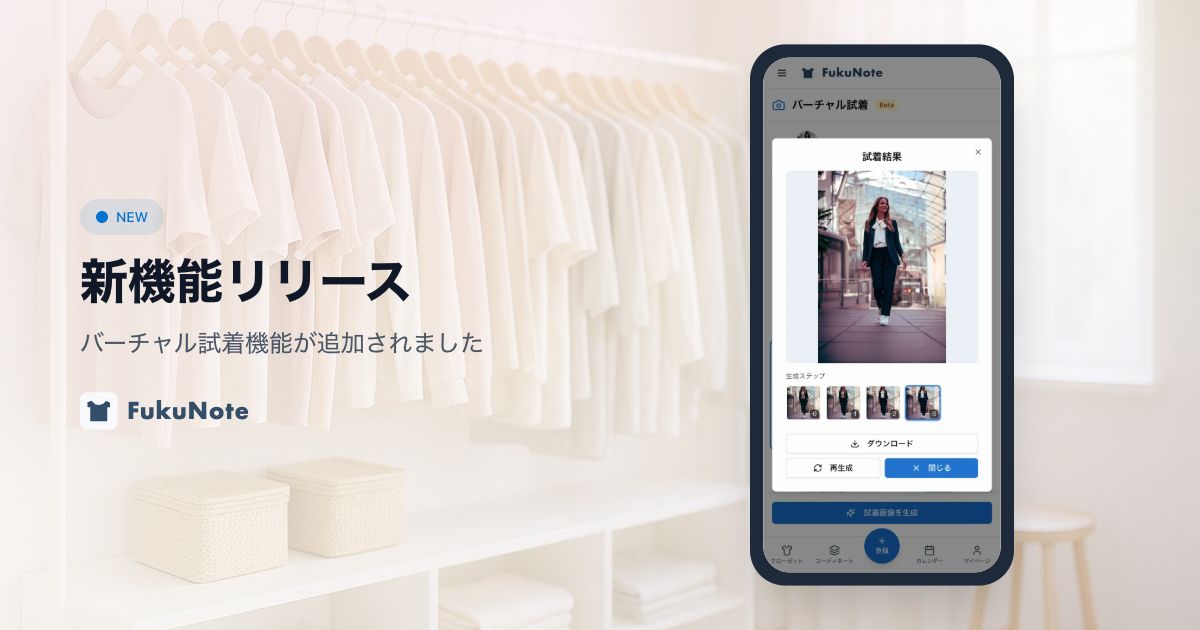
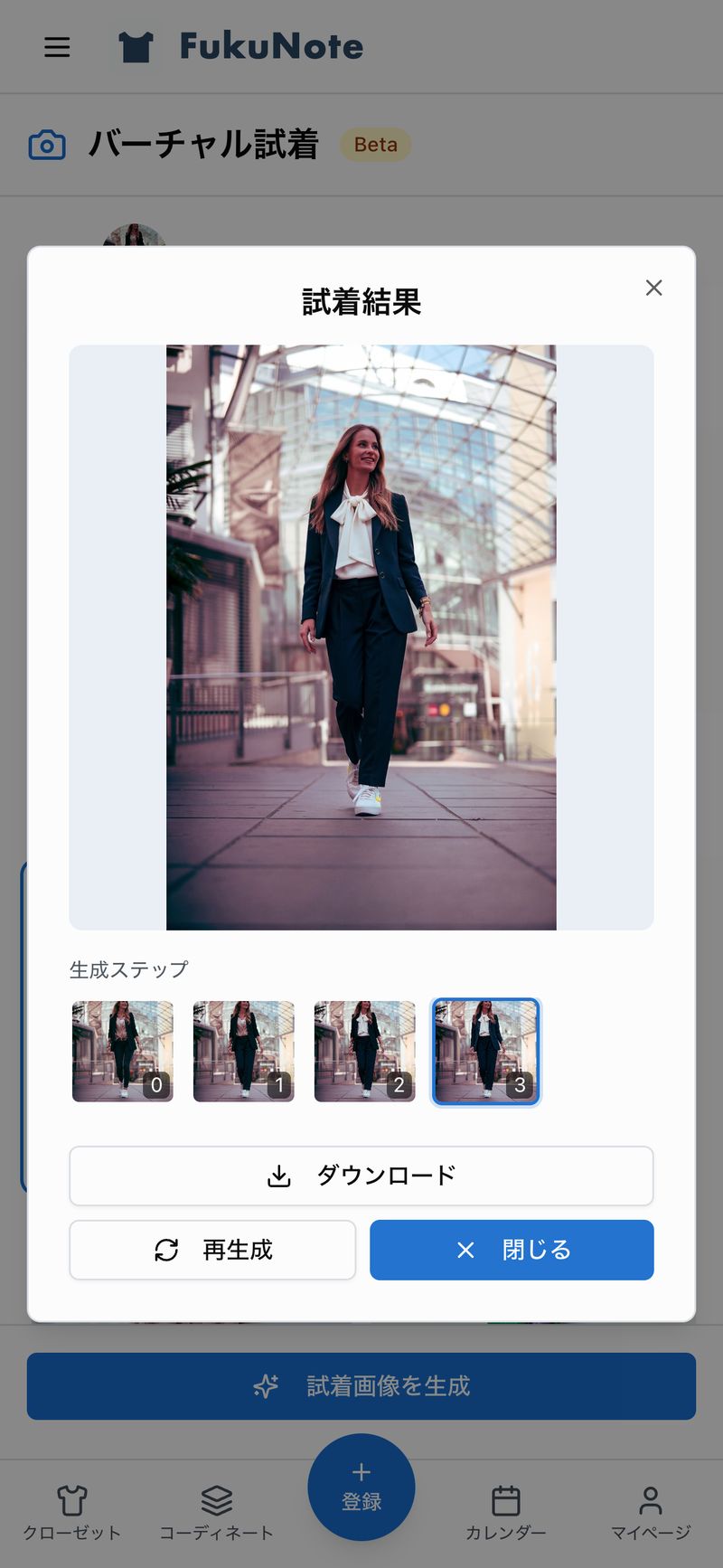
That's where FukuNote's new "Virtual Try-On" feature comes in. AI combines your full-body photo with your clothes, so you can easily see how an outfit would look on you.
How to Use Virtual Try-On
Using it is super simple. Just follow three steps to create your try-on image.
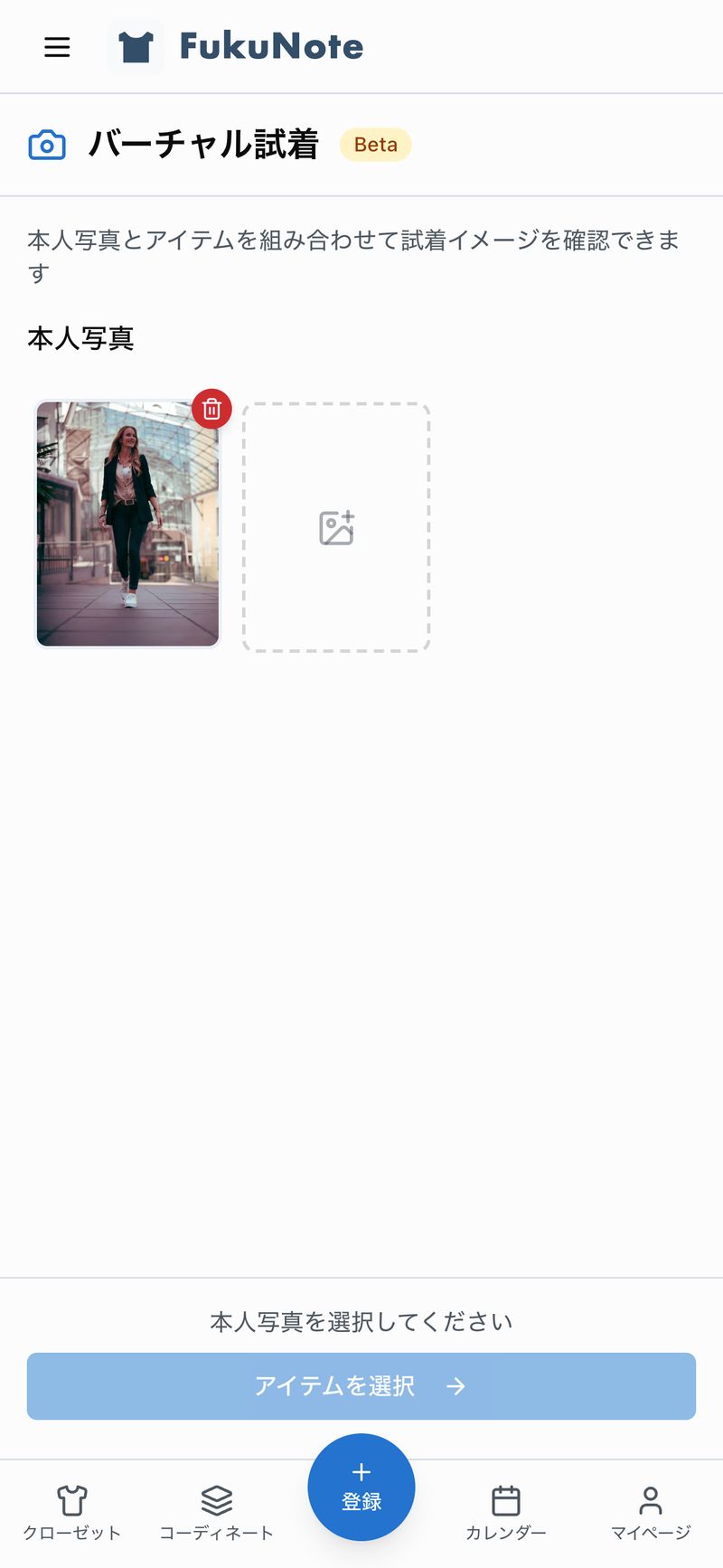
Step 1: Register Your Photo
First, register a full-body photo of yourself. A front-facing photo in simple clothing works best.
Once registered, you can use it as many times as you like, so it's worth taking a moment to set it up.
Step 2: Select Items to Try On
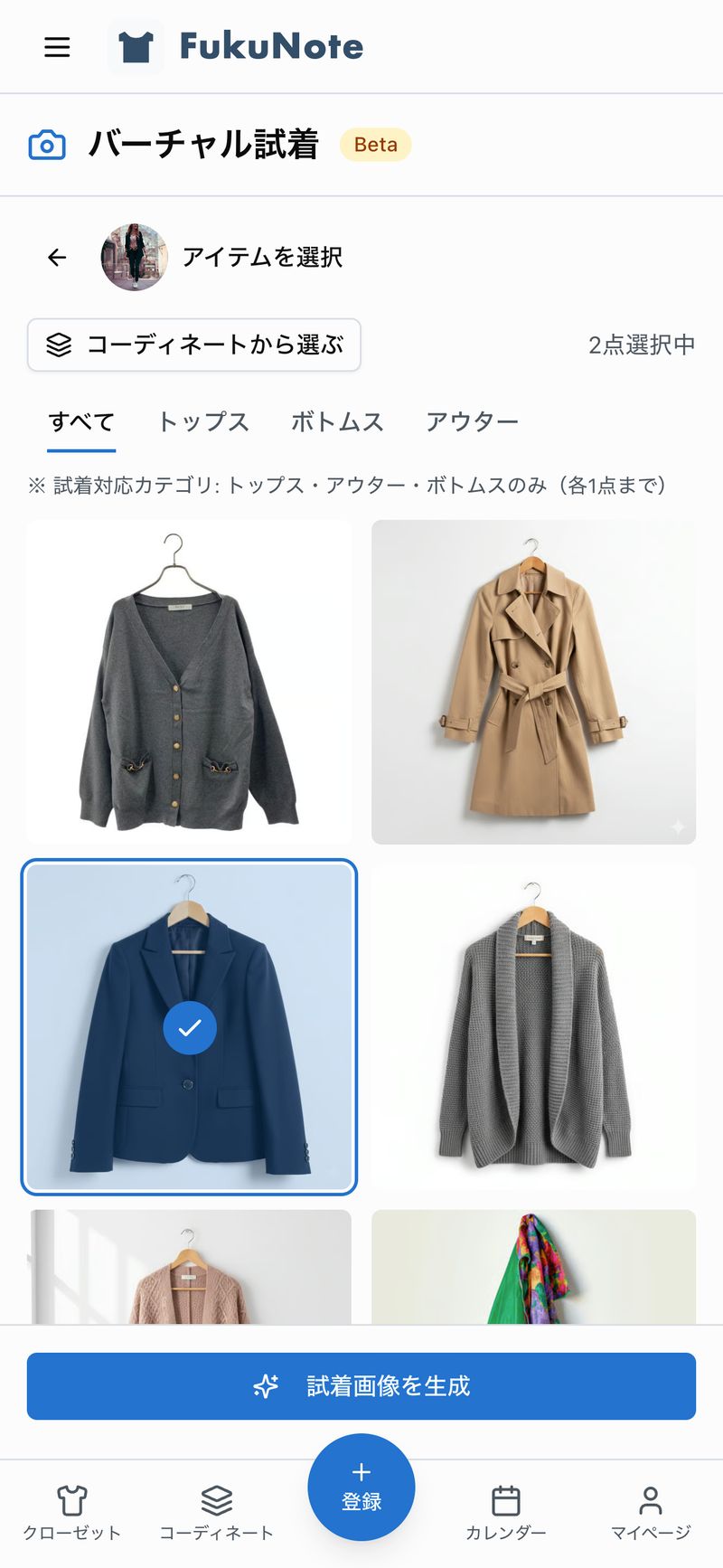
Next, select the items you want to try on from your closet.
You can choose from three categories:
- Tops (shirts, sweaters, t-shirts, etc.)
- Outerwear (jackets, coats, etc.)
- Bottoms (pants, skirts, etc.)
You can select one item from each category, up to three items total.
You can also use the "Select from Outfits" button to quickly choose items from your saved outfit combinations.
Step 3: Press Generate
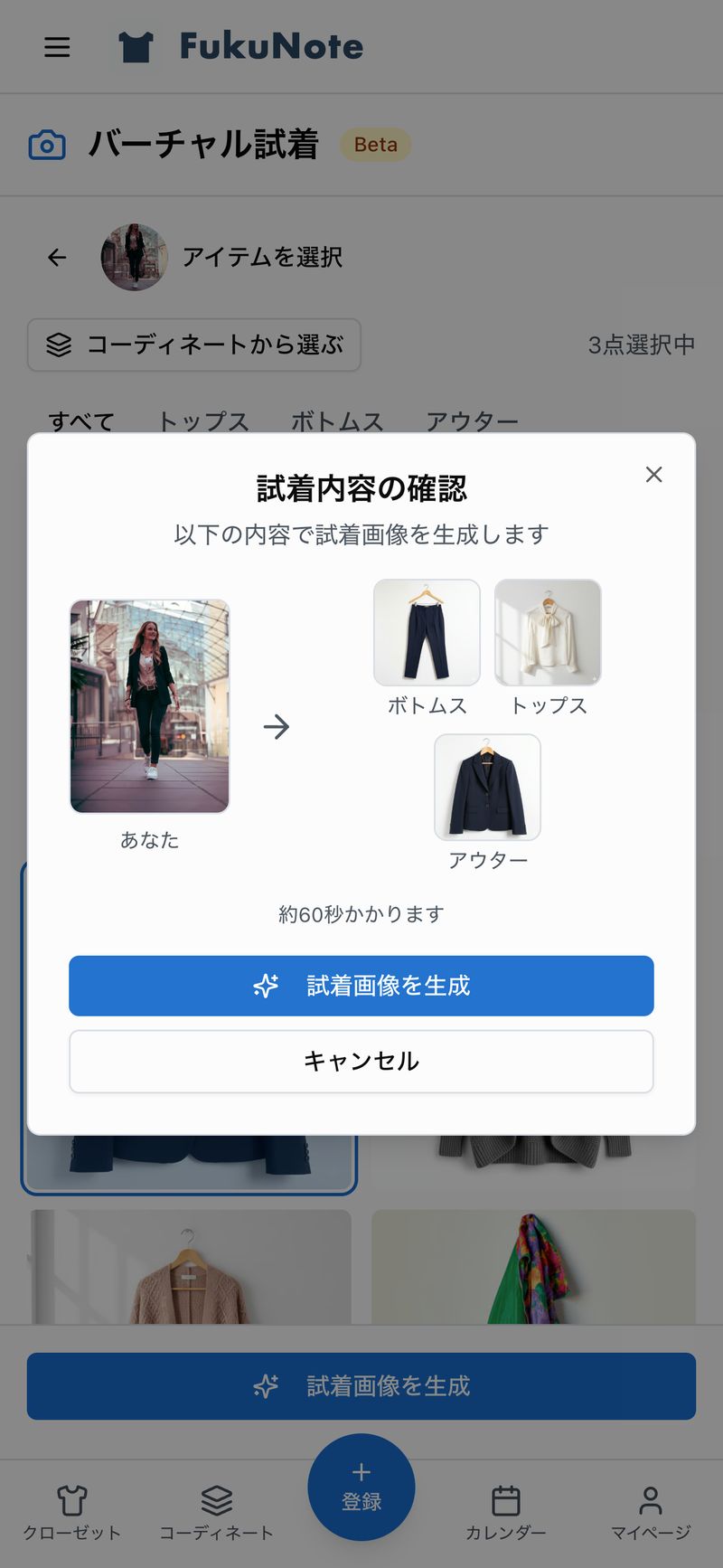
Once you've selected your items, just press the "Generate Try-On" button.
The AI will automatically combine the clothes onto your photo. It takes about one minute per item, so please wait a moment.
When It's Useful
Virtual Try-On comes in handy in situations like these:
Morning Outfit Planning
When you're thinking "Should I pair this top with these pants?", you can check how it looks without actually changing clothes.
Discovering New Combinations
If you tend to wear the same outfit combinations, Virtual Try-On lets you easily experiment with different patterns. You might discover something unexpected!
Seasonal Transitions
It's also helpful when you want to check "Will last year's clothes still work for me?" during wardrobe changes.
Save and Download Generated Images
If you like a try-on image, you can download it to your smartphone using the download button.
Also, if you generated the image from a saved outfit, you can save the try-on image linked to that outfit.
Wrap Up
With Virtual Try-On, you can easily experiment with new combinations of your existing clothes.
Next time you think "I don't want to change, but I want to see how this would look," give it a try!